
Getting Started
Requirements and installation
ML-Maid 0.5.0 supports Windows 10/11 x64 and uses the system WebView2 Runtime. Releases provide an NSIS installer, an MSI package, and a portable ZIP. Installed builds store data in Documents\ML-Maid; portable builds store it beside the executable, so do not place a portable copy in a protected directory.
Upgrading from 0.4.x
Version 0.5.0 replaces Electron with Tauri. On first start it detects and migrates legacy databases. Before a destructive schema change, it creates *.backup.v<version>.<timestamp> beside the database. Migrated databases are not backward-compatible; restore a backup before returning to 0.4.x. Uninstall the old Electron application manually.
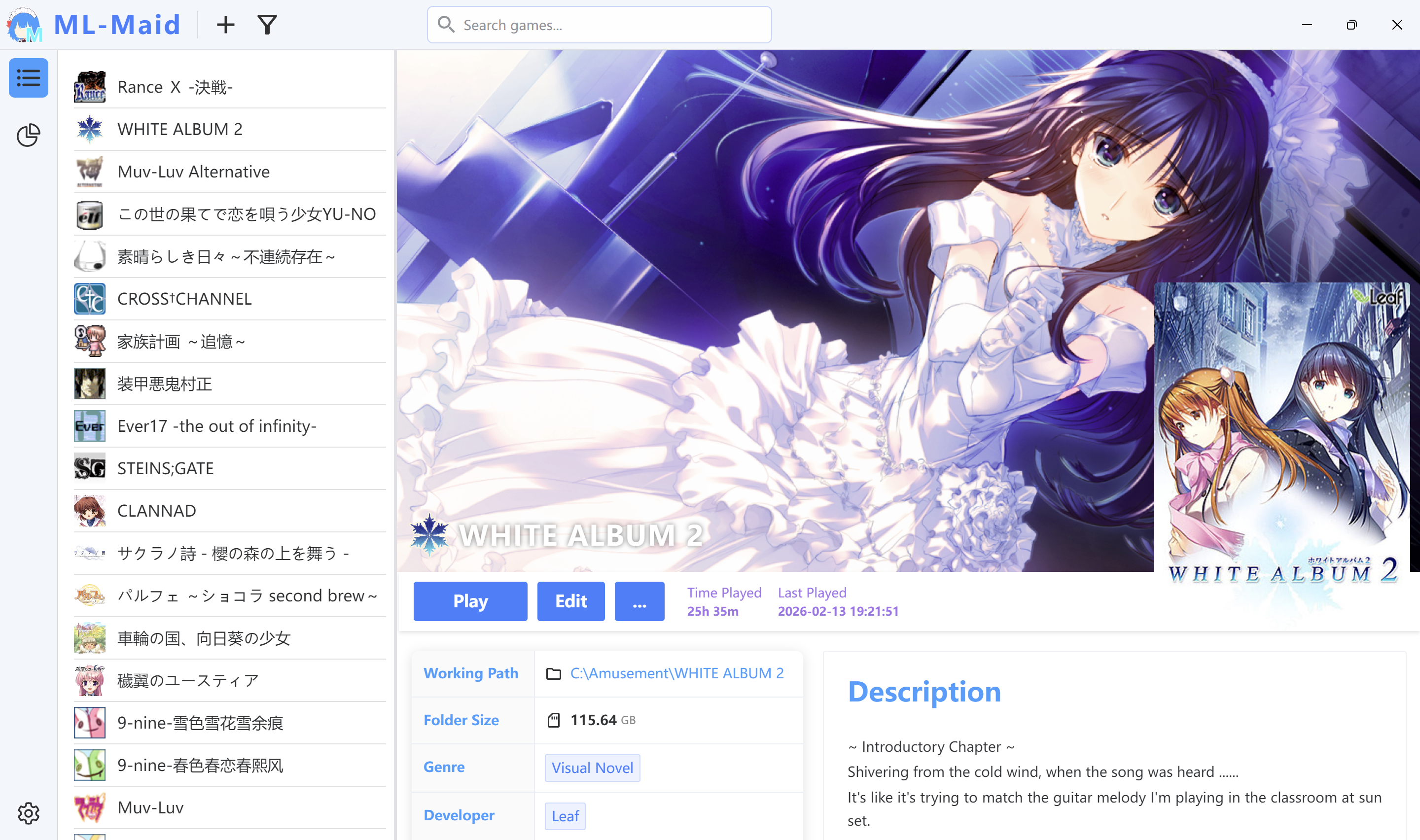
Main window
The narrow left rail opens the Library, Statistics, and Settings pages. In the Library, drag the divider between the game list and details pane to resize them. When Minimize to Tray is enabled, closing the window hides it. Double-click the tray icon or choose Show ML-Maid to restore it.
Changelog
20ffd-on
Copyright
Copyright Ownership:Kurosu-Ti01
License under:Attribution 4.0 International (CC-BY-4.0)